Build a workspace from your files or site
Right after sign up, Pitch Genius asks a few questions about your product so it can coach you on real deals. You do not have to type it all by hand.
- On the Workspace step, either:
- drag a file into the box (product one-pagers, decks, call scripts, pricing sheets), or
- paste your company website URL and click Scan website.
- Pitch Genius reads it and fills in your product profile on the right.
- No files or site handy? Click Skip, fill manually and type the basics yourself.
- Continue through Pipeline & CRM and Invite reps.
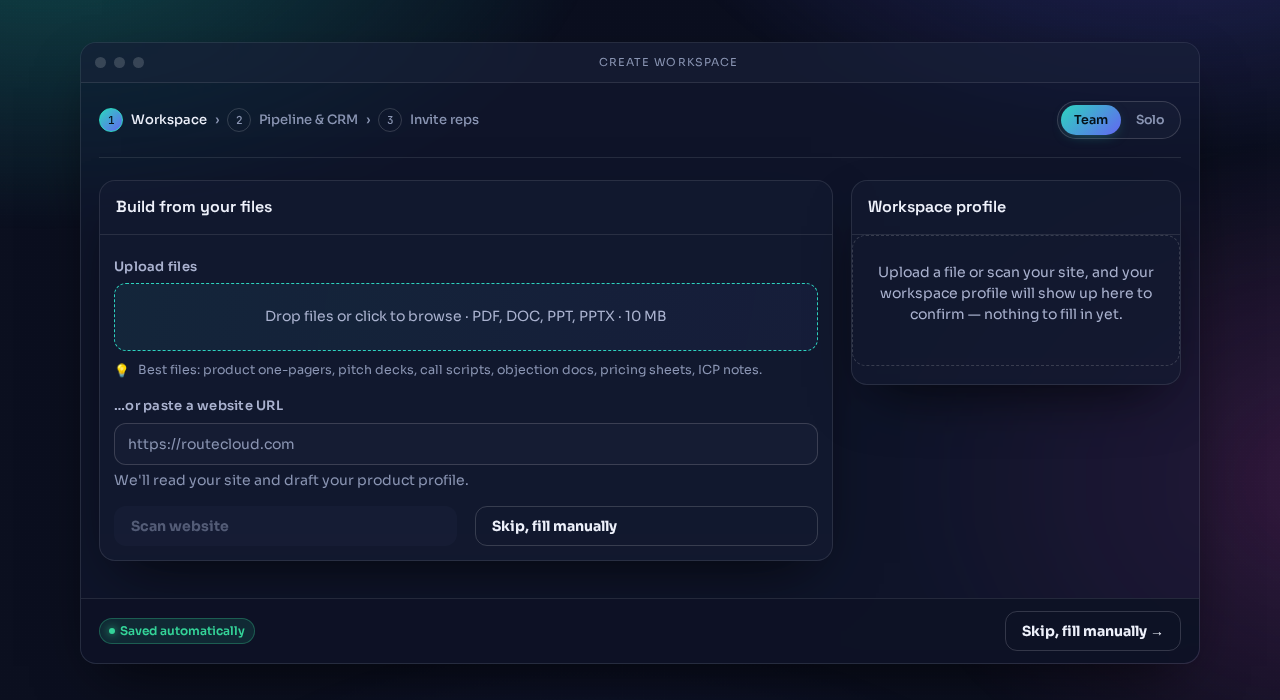
Scanning a site takes a moment. You will see the profile fill in on the right once it's done.
Next: Today's Workbench.